PDF Stationery
Stationery allows you to use the first page of an existing PDF file as stationery. The first page of the stationery PDF file will be merged on to every page of the resulting PDF file, or just the first page if that is all you choose.
The "Draw stationery last" controls whether the stationery appears as a foreground or a background.
You can configure a different stationery page for the first page than for the rest of the PDF.
You can create multiple pdfMachine printers and have different stationery on each printer. Then simply print to the appropriate printer and get the right stationery applied. See how on the videos page.
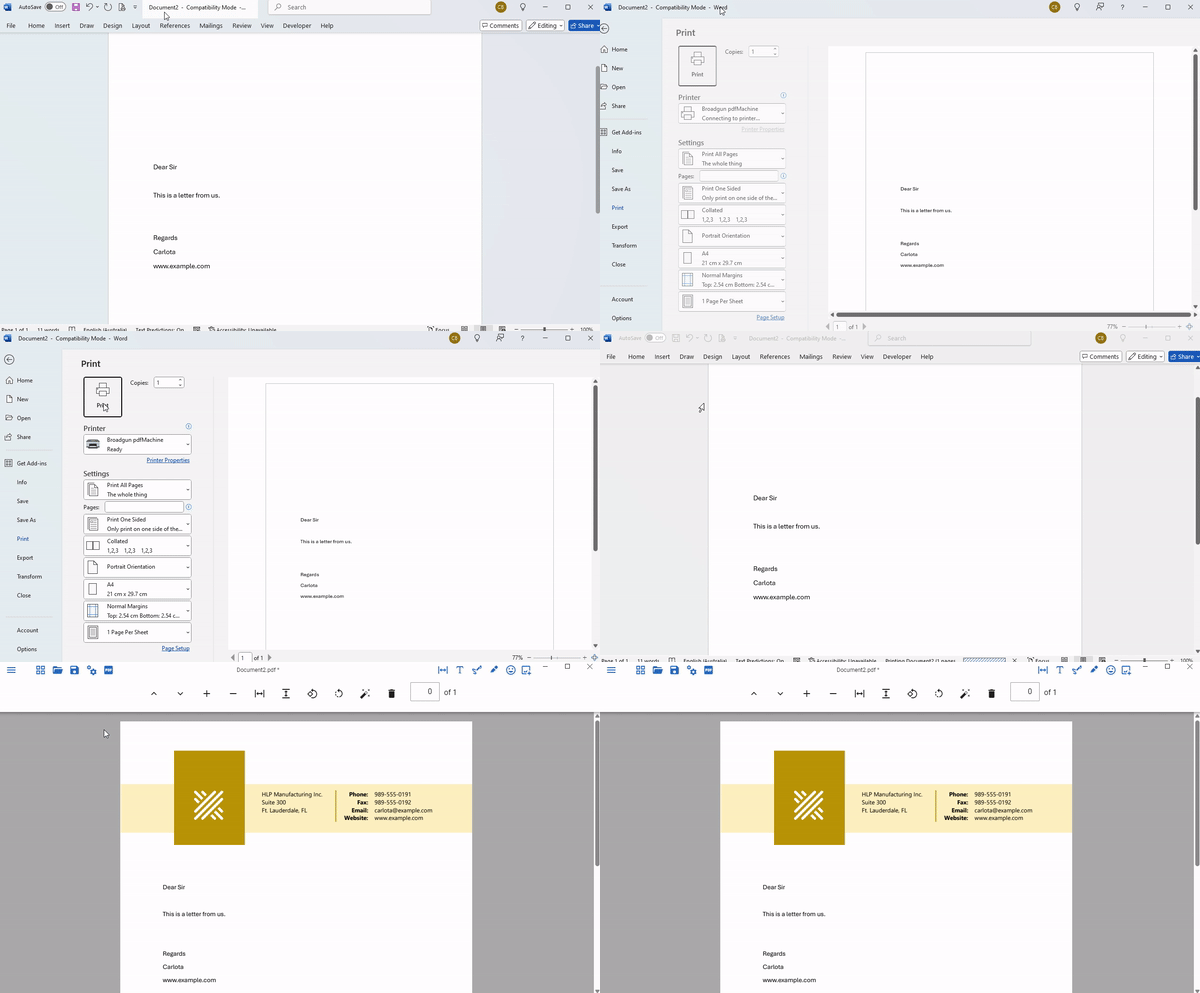
Stationery can be applied to a PDF open in pdfMachine using the Tools->Stationery menu item. Alternatively you can configure the pdfMachine options so that stationery is automatically applied to PDFs that are created by pdfMachine. You can also apply the stationery in the pdfMachine options by using the right-click context menu in Windows Explorer.
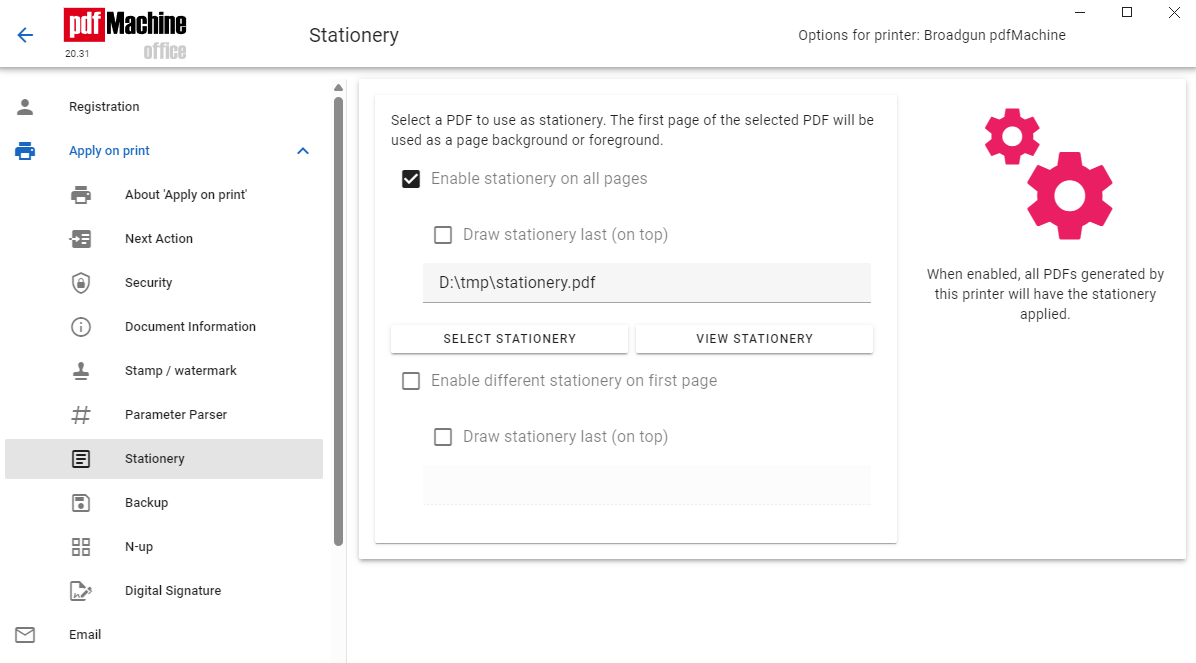
You can also use stationery as a parameter parsing command.